
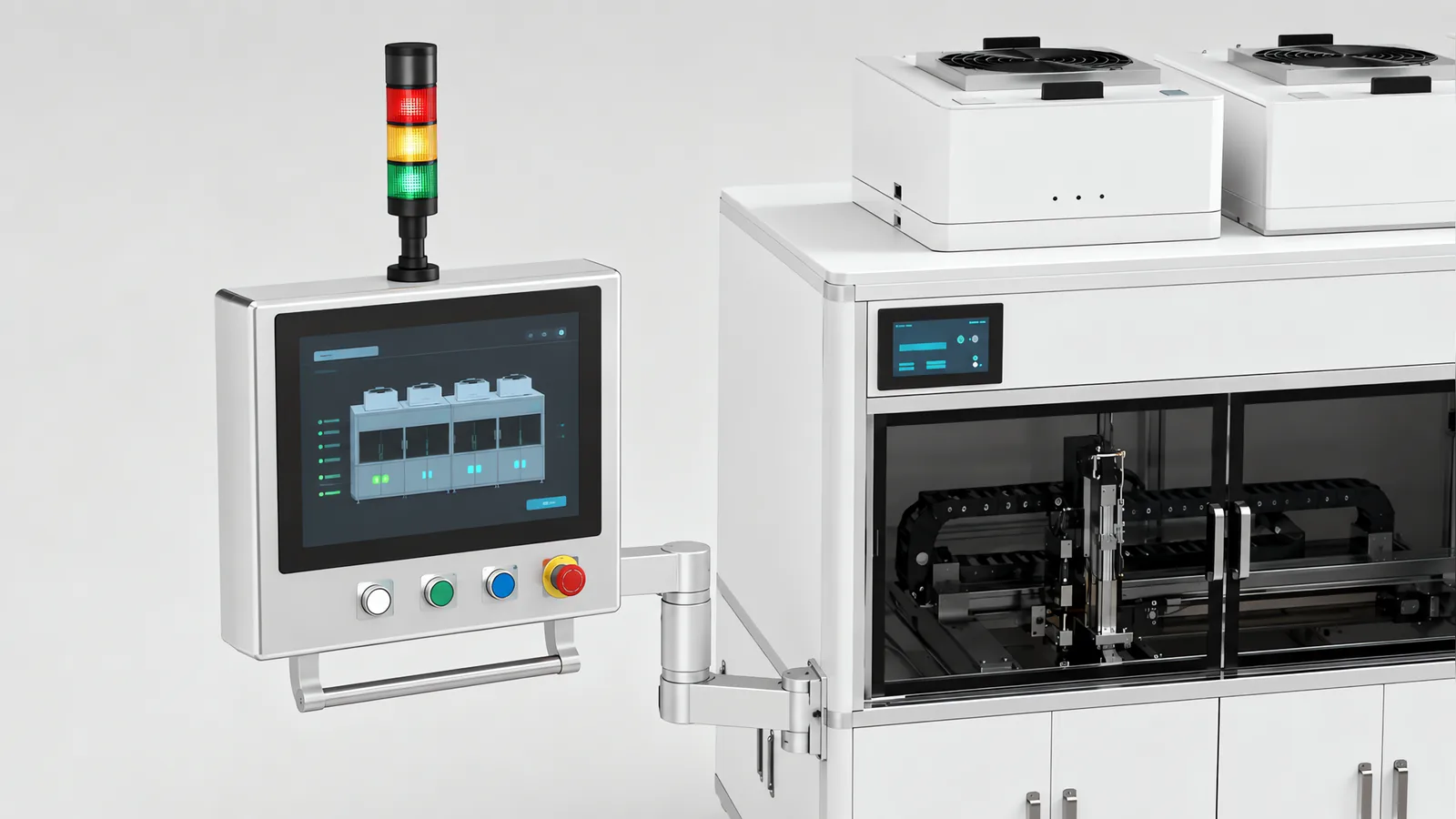
Motionwell Automation builds the operator interface and the data boundary to the supervisory layer on the machines we design and modernise in Singapore, and the delivered interfaces are specific enough to describe. The cleanroom automated test equipment series carries control limits and alarm thresholds configurable per test parameter, exports CSV for offline analysis, and offers OPC UA connectivity for real-time SPC charting on whichever supervisory platform the site runs. The SCARA sensor panel assembly line carries a touch panel in a cabinet we design and build, driven by code we write, that switches between more than 15 panel variants in under three minutes with no mechanical adjustment, which is a recipe layer carrying the changeover.
The 5-axis CNC shot peening machine runs its operator panel over a separate motion controller, showing the X, Y, Z, B and C positions live beside the G-code program list and an M-code table, where M03 and M05 start and stop blasting and M212 and M213 the dust collector: two engineering toolchains on one machine, which is a support decision as much as a technical one. Machines are designed, assembled and tested at our Woodlands Link facility, and the company has delivered more than 150 special purpose machines since 2014 under ISO 9001:2015 and bizSAFE Level 3.
The short version of the whole page is this. An HMI exists so that one person can run the machine safely and alone at three in the morning, and a lot of what gets proposed for a screen does not survive that sentence. SCADA, supervisory control and data acquisition, is the layer above the machine, and it answers a different set of questions, about what happened across a shift and across several machines. It must not be able to stop the machine when it is unreachable. Confusing the two produces the familiar pair: a panel cluttered with trends nobody reads, and a SCADA page carrying operating controls that stop working the moment a switch reboots.
The interface is built on whichever platform your site already runs, and what gets designed here is the operating layer of a machine: the screens, the alarm structure, the roles, the recipe store and the export path. Plant-wide network design, server administration and the business systems above the line sit with your IT organisation.
Getting numbers out of machines never designed to give any is a different problem, covered on our machine data acquisition page.
What Does HMI Mean, and What Is the Panel For?
HMI stands for human-machine interface, the screen a person uses to run a machine. It is there for whoever stands in front of it when nobody else is in the building, and that framing is a filter. Four questions get asked at the panel, and each has a place it must be answered.
What is it doing? The machine’s condition in plain words, with the product or recipe it is running, sitting where the eye lands first. When that is missing, operators watch the mechanism and ignore the screen, which works until the fault is not visible.
Why has it stopped? The first condition that caused the stop, named as a device and a location, so the answer sends somebody to a place.
What do I do next? The alarm text reads as an instruction. Where recovery lives in one technician’s head instead, restart time depends on which shift is running.
Is it doing it correctly? A process value shown with its limits beside it. On its own a number always looks reasonable, because nothing on the screen contradicts it.
What that filter deletes is most decorative interface work. An animated rendering of the machine costs development and maintenance and answers none of the four. Colour is a scarce signalling channel on a panel, so spending it on branding spends what should have meant state. And a screen built because a tag existed, and nobody asked for it, is one the next engineer will be afraid to delete.
One more thing decides how useful the panel is at the worst moment, and it is easy to specify and awkward to fix afterwards. The panel is the machine’s operating language, so alarm text, prompts and program comments have to be in the language of the person who meets them on the night shift, which is a point we make about buying equipment abroad on the local versus overseas machine builder page.
What Screen Hierarchy Actually Works on a Machine?
Three levels, in this order, with a rule that any screen sits two touches from the overview. Deeper trees appear when screens are added one at a time and nobody owns the structure.
| Level | The question it answers | What belongs on it | What does not |
|---|---|---|---|
| Overview | Is the machine running, on what, and is anything wrong? | Machine state in words, current recipe and job, rate and counts, the active alarm with highest priority, the logged-in role | Setpoints, manual functions, anything editable |
| Station | What is this part of the machine doing, and what are its settings? | That station’s sequence step, its sensors and actuators, its setpoints, its manual and jog functions behind a role | Other stations’ details, plant-level reporting |
| Diagnostics | Why is it behaving like this? | I/O state, drive faults and following error, communication status per device, cycle timing, alarm history with timestamps | Anything an operator needs during a normal shift |
The overview row is the one worth arguing about in a design review, because a good overview is mostly empty. It carries the state.
What sits on each level is decided by the machine. On the shot peening machine the five axis positions and the running G-code block belong on the overview, because position is the state there and an operator who cannot see it cannot tell a slow pass from a stalled one. The M-code table earns the same screen because it is the vocabulary the program is written in, so blasting, air wash and dust collection are readable as they happen. On the cleanroom test equipment, control limits and alarm thresholds are set per test parameter through the HMI, and those belong below the overview because they are setup values. How those measurements are produced is on our automated test equipment page.
Two structural rules save more trouble than any styling decision. One screen owns one job, so a control does not appear on three pages where two will disagree after an edit. And navigation runs sideways at each level, so a technician moving between stations does not climb a menu each time.
Why Is an Alarm List That Scrolls an Alarm List Nobody Reads?
An alarm is a request for a human action, and a list long enough to scroll is not a request, it is weather. Once the banner shows more entries than fit, operators press reset until something moves, which is a rational response to a badly built list and an expensive one. Alarm design is therefore mostly deletion, and the question for each candidate is whether a person has to do something now. Where the answer is no, it is an event and belongs in the log.
| Condition | On the alarm banner? | Where it belongs | Why |
|---|---|---|---|
| Guard opened or interlock dropped, machine stopped | Yes, top priority | Banner, naming the device and its location | Somebody has to walk to a place, so the place is the message |
| Process value outside limits with product at risk | Yes | Banner, with the measured value and the limit together | The action is a judgement about product, which needs the number |
| Value drifting toward a limit | No, as a warning | A warning line, visually distinct from alarms | Nothing has failed yet, but the trend is the point |
| Batch finished, recipe loaded, shift changed | No | Event log | It is a record of something normal |
| Downstream station starved because an upstream one faulted | No, suppressed while the upstream alarm stands | Event log and the diagnostics screen | Consequences bury the cause |
| Communication lost to a drive, camera or reader | Yes | Banner, naming the device and the network segment | Everything derived from that device is now unreliable |
Two mechanisms do most of the work. First-out capture records which condition stopped the machine, so the cause stays identifiable after the consequences have piled on top of it. Suppression handles the rest: while a fault stands, the alarms it necessarily produces downstream are logged. Priority is the third lever and it only functions if it changes behaviour, so a short scale applied with discipline beats a long one where everything has drifted to the top.
There is a second payoff, and it arrives later. Each alarm mapped to a stop reason turns downtime into a ranked list, and that mapping is nearly free during a controller rebuild and awkward afterwards, which is why the mapped alarm list ships in the handover pack on our machine modernisation work. What the resulting numbers can and cannot tell you is in our explainer on OEE.
Who May Select a Recipe, and Who May Edit One?
That split is the central access decision on a production machine, and on a GMP line a regulation sits behind it. Selecting a released recipe is a production act; editing one changes the process the product was approved against. Behind a single shared login, the second act becomes invisible.
The implementation is per-person accounts mapped to roles, with the role deciding which screens and functions are reachable. Every current control platform ships a user administration layer tied to the HMI application, so this is configuration, and the question for a supplier is narrower than which platform: accounts per person, the account stamped against the action and not only at login, and a role set that can be changed after handover without rebuilding screens. Where the site runs a domain, accounts come from there, so a leaver is removed once.
| Role | Reaches | Does not reach | Why the line sits there |
|---|---|---|---|
| Operator | Start, stop, select a released recipe, acknowledge alarms, enter batch and lot data | Recipe editing, calibration, alarm or interlock bypass, manual jog | Selection is production, editing is process change |
| Setter or line technician | The above, plus jog, manual functions and format setup | Creating or approving a recipe version, account administration | Setup needs manual motion; deciding what the machine may run is a different authority |
| Maintenance | Diagnostics, drive parameters, calibration, forcing under a written procedure | Recipe approval, record deletion | Forcing an input defeats the machine’s own protection, so it is named, roled and logged |
| Engineering | Recipe creation and editing, screen and program changes, account administration | Sole release of a recipe to production on a validated system | Screen and program changes need a place to be made, and it is not the running panel |
| Quality | Audit trail review, recipe version approval, record review and release | Operation, jog, editing | An approval by the same person who made the change is not an approval |
Two functions deserve a role even on a machine with no regulatory exposure: alarm bypass and manual jog. Both remove a protection the machine was designed with, and both are occasionally the right thing to do, which is exactly why they need a name attached.
Where the machine’s data becomes a regulated record, the account model stops being good practice and becomes a requirement. 21 CFR Part 11 asks for access limited to authorised individuals and authority checks on who may sign, alter a record or perform the operation at hand. The clause-by-clause equipment view is on our 21 CFR Part 11 and electronic records page.
How Should a Recipe Be Versioned and Approved?
A recipe is a controlled object with a life cycle, and the difference shows up the first time somebody asks what the machine was actually running last Tuesday. Four properties make that question answerable.
Identity comes first. A recipe carries a name and a version, with author, approver and effective date attached, because a recipe called “blue 250” with no version is not identifiable a year later.
Then it binds to the record. The machine stamps the recipe identity and version into what it produces, so the product record points at exactly the parameter set that made it. The SCARA line logs production by variant and batch to CSV for MES integration; the carton palletizing cell calls one of up to 50 stored layer patterns by barcode scan or MES command with no mechanical adjustment.
There is one master, and only one. Two masters is the failure, and it happens by accident: where recipes can be edited on each panel and are also held centrally, the panel copies fork within months. Either the machine holds the master or the centre does, and the choice gets written down.
Last is what happens to a change made while running. An edit to the loaded recipe is a change to the job in progress, so the arrangement we specify locks the running version and turns an edit into a new version that becomes active at the next job. The alternative leaves a batch made half one way and half another under a single recipe name.
Approval is the part most often left to a procedure when the machine could enforce it. The useful arrangement is that engineering creates a version, quality approves it, and only approved versions appear in the operator’s selection list, so the interface enforces what the SOP would otherwise only ask for.
What can be in a recipe at all is settled in the mechanical design, since an axis only enters a recipe when a motor or a software parameter controls it. That distinction, and what it does to a quoted changeover time, is worked through on our filling line changeover page.
What Belongs in the PLC, and What Belongs Above the Machine?
One rule decides most of it: nothing the machine needs to keep running or to stay safe may depend on a link that can be unplugged. The rest is a question of who has the better view.
| Function | Machine, in the PLC and its panel | Supervisory layer | What breaks when it is put in the wrong place |
|---|---|---|---|
| Interlocks, safety functions, motion, sequence | Always here | Never | A cell that stops because a server was patched |
| Alarm generation and first-out capture | Here, in the controller | Annunciation, aggregation, history | Two systems disagree about which alarm came first |
| Handshakes with neighbouring stations | Here, station to station | Sees the line, does not pace it | A line paced by a polling loop runs at the poll rate |
| Recipe master and version distribution | Holds and identifies the version it is running | Owns the master where several machines run the same product | Panels fork, or a machine cannot run while the server is down |
| Job dispatch and order selection | Executes the job it was given | Decides which job goes where, and when | Scheduling logic buried in a machine nobody can schedule around |
| Historian, reporting, cross-machine comparison | Buffers its own output until the link returns | Retention and query | History dies with the machine that stored it |
On the QA laboratory programme, the server handles work-order priority and robot mission dispatch while the cell PLC holds storage state, sample transitions and instrument handshakes. That split keeps execution close to the equipment while allowing the queue to coordinate several stations. For the wider plant, our MES, ERP and SCADA comparison maps order management, execution and supervisory functions to their owners and interfaces.
Independence between machines is a design choice with a cost attached, and it is usually worth paying. On the modular carton unloading station built for a consumer goods distribution centre, each station runs its own PLC for local control and exchanges data with its neighbours over OPC UA, so a station keeps working when the one beside it stops.
What Does a Historian Give You That a CSV Export Does Not?
A historian provides organised time-series storage, repeated queries and managed retention. CSV exports can also be automated and controlled. The weaker arrangement is ad hoc manual export to a panel memory card, with no monitored transfer, backup or retention process. Choose the data path by how often the records are needed, how they are searched and how long they must remain available.
Both have a place, and the useful split is by consumer. An export serves analysis done once in a spreadsheet or a capability tool: the test equipment series holds results per serial number and exports them by batch for Cp/Cpk study, which is exactly where a file is the right object. A historian serves questions asked repeatedly across time, where retention outlives the equipment and the query has to work without anyone remembering who kept which file.
Two design decisions determine whether either is usable a year later.
Identity has to be on every row. A measurement carries the unit, batch or serial it came from, captured as it is taken, because without that a row is a statistic and nothing more.
And the failures have to be kept alongside the passes. A rejection handler that diverts a bad part and increments a counter has discarded the interesting half. The handler we specify logs each reject against the unit identity, the reason it was rejected and, where a camera made the call, the image it was made on, which is what makes an investigation possible three weeks later.
Two boundaries. Which signals are worth collecting at all, and what a machine can be made to say when it was never designed to say anything, is covered on the machine data acquisition page. And where a predicate rule requires the record, storage, audit trail and retention change shape, which is the build described on our electronic records page.
For a Modbus-connected source, the PROFINET vs Modbus guide shows why scale, timestamp and stale-data behaviour must reach the final screen. For industrial energy monitoring, retain raw meter totals alongside energy-per-unit calculations so both remain traceable to the same reporting period.
A new screen platform needs archive, alarm and interface verification. SCADA migration tests distinguishes restored engineering configuration from restored runtime history.
The gateway should preserve unavailable states and timestamp meaning. industrial history acquisition specifies the history record and tests what survives a disconnect.
Where Does OPC UA Draw the Line to the IT Side?
It draws the line where the consumer stops needing to know how the machine is built. OPC UA presents a typed, browsable address space with security in the transport, so what crosses the boundary is named values carrying their data types and timestamps with them, and not a register map somebody upstairs has to be told how to read. That is why it is the boundary we build to by default, upward to a supervisory platform and sideways between stations.
Three things decide whether that boundary holds up in service.
The namespace is a contract. Node names, types and units are agreed in writing before commissioning and versioned afterwards, because a rename after go-live breaks every consumer without producing an error anybody sees. A name nobody agreed to own is a name that gets discovered during commissioning.
Buffering belongs to the machine. Buffer locally with enough depth to cover a server reboot or a change window, forward when the link returns, and raise an alarm when the buffer fills.
Somebody owns the certificates. OPC UA security rests on trust established between client and server, and that trust expires. An unowned renewal is a link that fails on a date nobody has in a calendar.
Direction matters as much as protocol, and a collector with one interface on the machine network and another facing the plant is a boundary device whatever the purchase order calls it. The zone and conduit reasoning that follows is in our guide to IEC 62443 for industrial control systems.
A dashboard needs an agreed data contract regardless of transport. OPC UA/MQTT supervisory interfaces distinguishes client-server, PubSub and brokered integration choices.
What Changes When the HMI Is Part of the Record?
On a validated system the panel is not a window onto the record. It is part of it, and three consequences follow that tend to surprise buyers after handover.
Screens, recipes and account structures become qualified objects. Under GAMP 5 a configured HMI or SCADA project needs a specification, testing traceable to it and a documented change history, so moving a button is a change control item. What each qualification stage proves is on our computer system validation page.
Operational qualification acquires tests that are interface tests: access by user level, confirmation that an operator cannot alter a validated parameter, audit trail content and the fact that entries cannot be altered or deleted, recipe creation and approval, and power removed mid-cycle to prove the machine restarts in a defined state without corrupting the record. That last test finds design faults the others miss, because it is the one that tests the interface while it is failing.
Patching splits along the same line. Operating system and driver updates on an HMI PC usually touch no qualified function and need documented verification only, while a change to recipe handling or to the records themselves requires the affected tests re-executed. Knowing which side an update falls on keeps a validated machine patchable.
Underneath all three sits the clock. Panels, controllers and servers keep time independently and drift apart, so a merged audit trail across the three is only defensible if they were synchronised on purpose. That is a design item on this layer.
When Is More Interface the Wrong Answer?
The machine has one operator and no reporting requirement. A panel and a scheduled export answer the question. A supervisory system above one machine is a second thing to patch, back up, qualify and eventually migrate.
The problem is the alarm structure. A new interface over an unmapped alarm list moves the confusion to a nicer font. Fix the structure first, and the screen work that follows is a much smaller job.
The proposal creates a second place to look. Two systems showing machine state will disagree once, and after that neither is trusted. If a supervisory layer is added, it reads state.
Nobody owns the screens after handover. Machines change, and a screen that no longer matches its machine is worse than a sparse one because it is confidently wrong. Who may edit a screen, under what change control, decides whether the interface still describes the machine in year three.
The requirement is a dashboard. If nobody can finish the sentence “when this number moves, we will do X”, the screen gets built, admired and then ignored.
The request is remote start or remote operation over a general-purpose network. A safety case resting on a network the machine side does not administer is not a safety case, so the start function stays local to the machine and the supervisory layer reads.
Which Interface Should You Specify?
Five questions, in this order. The first that gives a hard answer usually settles the shape.
- Who stands in front of it on the night shift, and what are they already trained on? Consistency with the panels they already use beats any individual design improvement.
- Which platform does the site run, and is it still supported? Ask the vendor for lifecycle status in writing on the exact catalogue numbers, as set out on our PLC migration page.
- How many machines have to be seen in one place? One machine is a panel question; several is a supervisory one, and the two have different answers.
- Does anything this machine produces become a record? If so, roles, audit trail and export get designed before screens.
- Where does the data have to arrive, and who administers that system? That answer usually lives outside the engineering department, and finding it late delays more of these projects than people expect.
| Your situation | Start from | Why |
|---|---|---|
| One machine, one operator, no reporting requirement | Machine panel plus a scheduled export | The supervisory layer has nothing to compare and everything to maintain |
| Several machines, one office wanting one view | A supervisory layer reading machines that stay independent | The view is the requirement; the sequencing is not |
| High mix, changeover dominates the week | Recipe structure first, screens second | On the SCARA line the variants change in under three minutes because the recipe layer carries the changeover |
| Machine data becomes a regulated record | Roles, audit trail and retention, then the screens | Retrofitting an account model into a finished panel is a rebuild |
| Mechanics sound, panel obsolete, controller unsupported | Rebuild the interface inside a controller migration | Screens, recipes, alarm text and accounts get rebuilt anyway |
| The site already has a SCADA standard | Deliver machine data in the form it reads | Replacing a working plant system is not the machine’s project |
Where two rows disagree, the machine has two audiences, and the question moves to what the operator sees and what the office sees. Those are allowed to be different screens, as long as one state feeds both.
Standards Used in Machine Design and Validation
These references inform the design, testing and documentation described on this page. Each row links to its primary source and records the edition checked.
| Standard | Current edition | What it means for your machine |
|---|---|---|
| 21 CFR Part 11: FDA rule on electronic records and electronic signatures | Current eCFR text; most recent amendment to the part dated 2 March 2023 | Applies to electronic records maintained under FDA predicate rules and to the electronic signatures within its scope. Identify those records during machine specification, then design access control, audit trails, retention, accurate copies and signature binding around their intended use.Checked 7 Sep 2026 against eCFR versioner API (ecfr.gov/api/versioner/v1/versions/title-21.json, part 11), latest section amendment_date 2023-03-02 |
| ISPE GAMP 5: a risk-based approach to compliant GxP computerised systems | Second Edition, published July 2022 | Guides the lifecycle assurance of GxP computerised systems. Intended use, process risk, patient safety, product quality and data integrity shape the verification effort; software category and supplier assessment help plan the supporting evidence.Checked 7 Sep 2026 against ISPE, GAMP 5 Guide 2nd Edition publication page (ispe.org/publications/guidance-documents/gamp-5-guide-2nd-edition), stated publication date July 2022 |
Frequently Asked Questions
Which platforms do you do HMI programming on?
Whichever one your plant already runs, and that is a cost decision. Delivered interfaces cover a SCARA sensor panel assembly line, a cleanroom automated test equipment series and a 5-axis CNC shot peening machine, each built on the platform that site maintains. Where two platforms both clear the technical requirement, the one your maintenance team already carries spares and training for is the cheaper machine to own, because what recurs every year is the second toolchain, the second spares holding and the second set of trained people, while the licence is paid once.
What are the main components of a SCADA system?
Six, and a machine builder supplies the bottom of the stack. Field devices and instruments produce the values. Controllers hold the sequence, the interlocks and the alarms. A network carries the data upward, which on our machines is OPC UA by default. A supervisory server keeps the tag database, annunciates alarms and draws trends. A historian keeps the values under a retention policy. Operator clients display it. Our cleanroom automated test equipment sits at the bottom of that stack: a panel at the machine, results exported by batch as CSV, and OPC UA connectivity for real-time SPC charting on whichever supervisory platform the site runs. Our scope is the machine end of that stack, delivered so the layers your IT organisation owns can read it.
Can an obsolete HMI be replaced without touching the PLC program?
Sometimes, and what decides it is how much of the machine's operating language lives on the panel. Where the controller is still supported, its tag structure is documented and the panel is mostly a viewer, a panel swap is a contained job with a re-tested screen set. Where the alarm text, the recipe store and the user accounts sat in the old panel, replacing it means rebuilding all three, which is a bigger piece of work than the hardware suggests.