
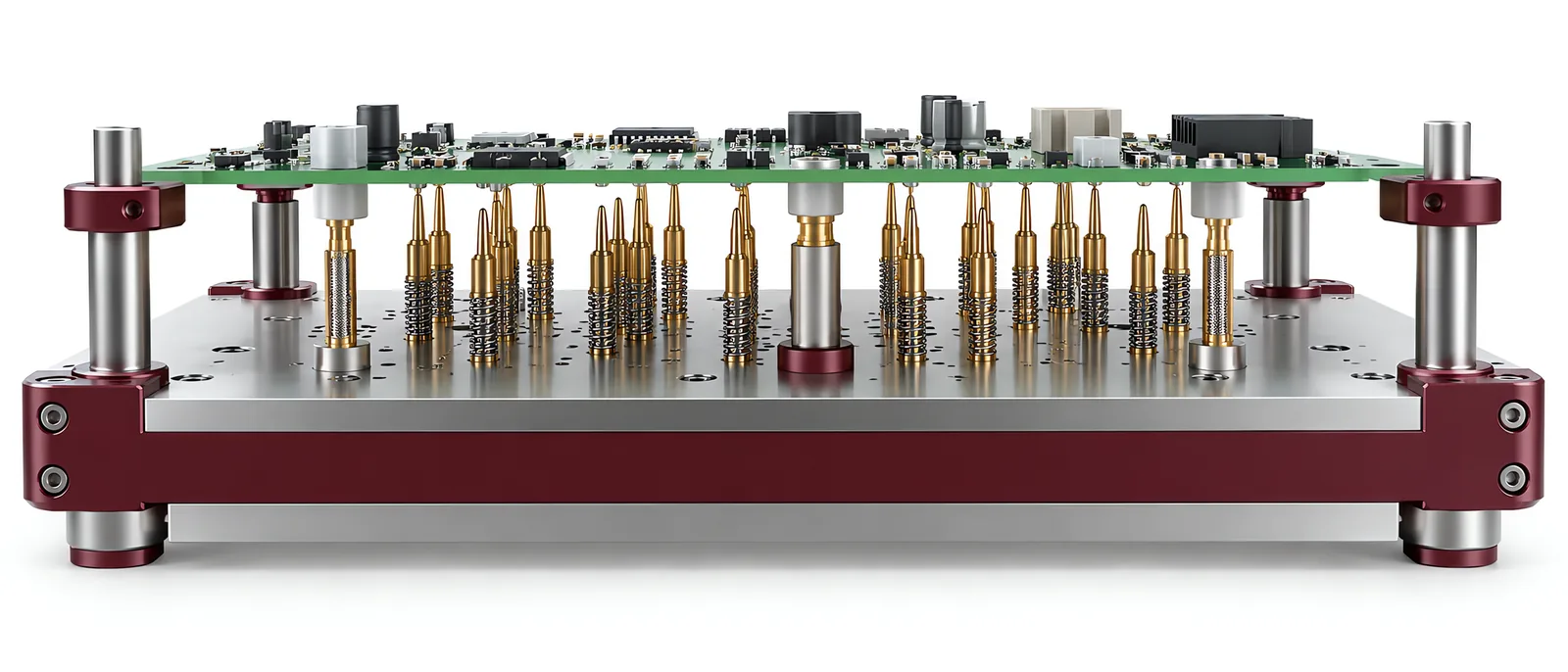
Conceptual equipment illustration.
A PCB test fixture must establish repeatable electrical contact without loading the board in a way that changes or damages it. Begin with the test-point map and populated board geometry. A bed of spring probes alone is not a complete fixture specification.
For automated test equipment, the fixture and test programme need to share the same board revision and contact definition.
Support the Board Near the Contact Loads
Identify test points, locating features and component keep-out areas. Place supports according to the probe loads and board geometry; supports must not collide with components or distort the assembly before the test begins.
FEINMETALL’s fixture series describes guided contact motion, board-carrier access and replaceable fixture cassettes. Those are selected design features, not universal properties of every PCB fixture.
Review accumulated probe force across the fixture. Check board deflection under the actual closure sequence, especially where many probes act near an unsupported region.
Make Contact Quality Visible
Choose probe tips and working travel for the test-point finish and geometry. The contact requirement also includes the electrical signal: a low-current continuity check and a high-frequency measurement do not have identical contact-path needs.
The functional test fixture guide covers the relationship between workholding and product function. For a PCB, define how a contact failure is distinguished from a genuine circuit failure. Otherwise an intermittent probe can create false rejects that look like board defects.
Include deliberately unavailable contacts in the trial. Record which checks establish fixture readiness and which result belongs to the board itself.
Keep Board Revisions and Recipes Together
A component change can alter clearance even when the board outline remains the same. Identify the supported revisions on the fixture and in the test programme. Prevent a fixture cassette from silently running an incompatible recipe.
For electronics production, associate the board identifier with the fixture, software version and result. If the fixture can be opened after a failed test, define whether and how a retest is recorded; repeated passes should not erase the first failure without its history.
Where the test includes hipot verification, specify the necessary isolation and measurement configuration. A fixture built for low-voltage functional tests is not automatically suitable for that different test condition.
Maintenance Needs a Reference Check
Keep a defined reference or fixture-check procedure for contact condition after probe replacement and cleaning. Save the corresponding maintenance record and confirmation that the installed fixture matches the intended configuration.
Discuss the PCB test task with Motionwell to plan contact access, support and the measurements around the fixture.