
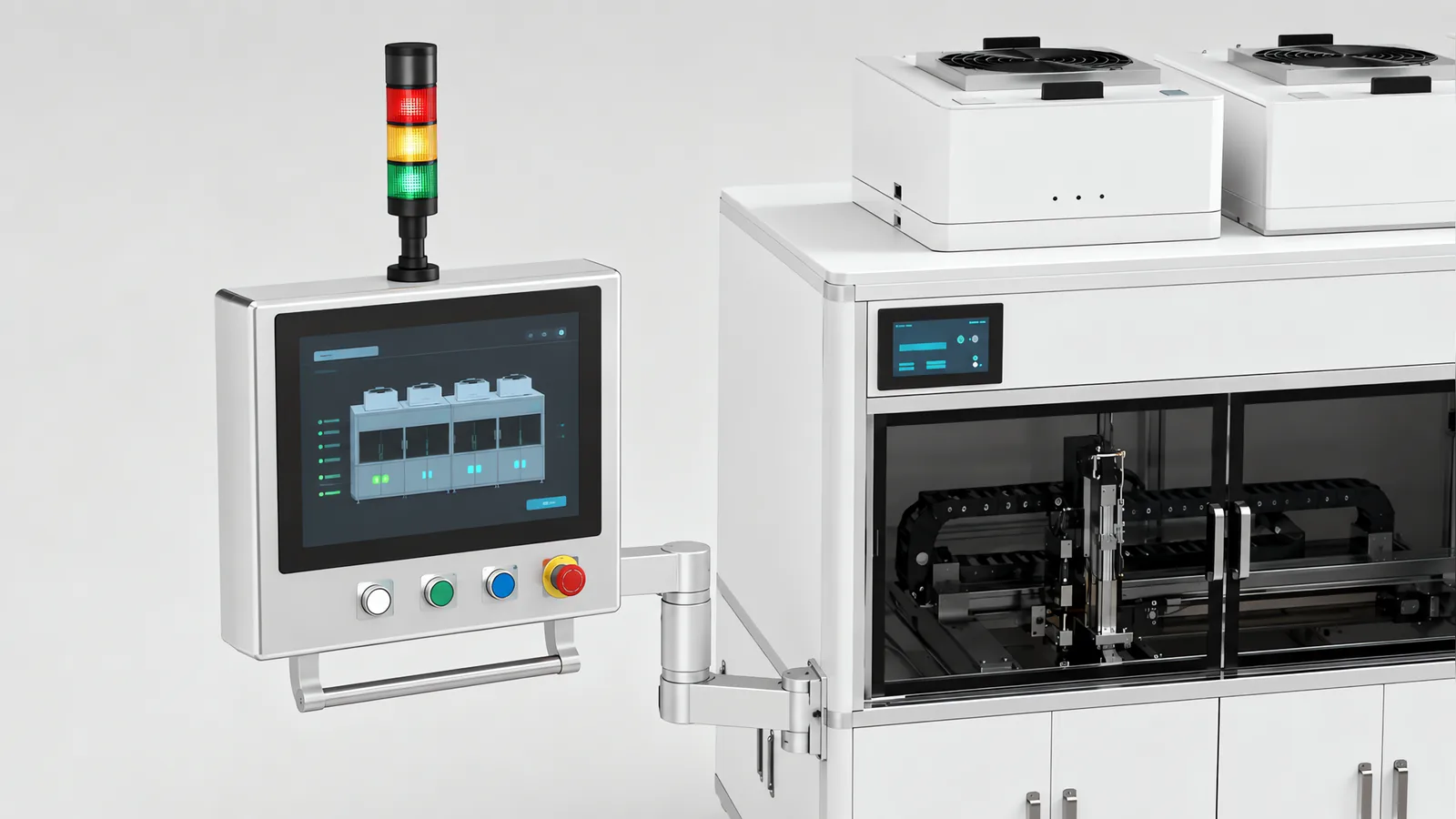
SCADA vs HMI is a comparison of supervisory scope and operator interaction. An HMI gives people a way to view and operate equipment. SCADA adds supervisory control, alarm handling and history across an installation, often serving several clients. A PLC or another industrial controller executes the local control tasks behind those interfaces.
Motionwell builds and modernises machine controls in Singapore. This guide helps decide whether a local panel meets the task, what a supervisory system adds and how commands and records should cross the interface.
Choose a local HMI for the operator tasks and records one machine needs. Add supervisory functions when people need shared alarms, trends, commands or history across equipment. Define loss-of-communication behaviour separately: continued production, a controlled hold or a stop depends on the process, required records and safety design, not the label on the screen software.
Which Tasks Belong in the PLC, HMI and SCADA Layers?
A PLC executes cyclic, timed or event-driven tasks that control machine I/O and sequences. HMI and SCADA software also execute logic, including scripts, calculations, recipes and supervisory commands. Put time-critical machine actions in the control layer designed for them, and make external commands requests that are validated against the machine state before action.
That is why the platform decision is a controller decision first. Each PLC family brings its own engineering tool, its own tag or address model and its own protocol, and everything that sits above the controller has to speak that protocol. The panel gets chosen to suit the controller, the server gets a driver or an OPC UA connection to suit it, and the code that runs the machine lives in one place, which is the subject of our PLC programming page.
A PLC can take operator input from wired controls as well as an HMI, and some controllers include displays, web interfaces or data logging. Storage capacity and retention depend on the platform. Specify the interface and history the application needs. Safety functions remain in the assessed safety-control architecture, which may use a safety PLC or hardwired circuits.
| Layer | Where it runs | What it holds | Who reads it, and from where | Loss-of-service response |
|---|---|---|---|---|
| PLC | An industrial controller running configured tasks | Machine sequences, I/O state, interlocks and configured records | Operator interfaces, engineering tools and supervisory systems | The I/O and safety design determine the fault state, stopping and restart behaviour |
| HMI | A panel or client interface connected to equipment | Screens, commands, alarm text, recipes and local records | Operators and authorised service users | Loss of the interface invokes the specified continue, hold or stop response |
| SCADA | Supervisory runtime with equipment connections and clients | Shared tags, commands, alarms, trends, history and access control | Operations, engineering and maintenance teams | Local controls follow the defined fault response; buffered records are reconciled on recovery |
Use the last two columns to assign users and fault responses. For production orders, genealogy and business transactions, the MES vs ERP vs SCADA comparison explains the next set of interfaces.
What Is Actually Inside an HMI Panel?
There is more in it than a screen. An HMI terminal is a small computer with a runtime, a project file and a protocol driver. The project file holds the screens, the alarm text, the navigation and a tag table that maps every object on a screen to an address in the controller. The driver is what lets that tag table read a controller from a different maker, and the runtime polls the controller at its own rate, independently of the controller’s scan. A panel with recipe storage holds parameter sets locally and writes them into the controller when one is selected. A panel with user accounts decides which screens a login may reach. A panel with an alarm log keeps a short history in its own memory until that memory wraps.
The split of what lives where is the thing to understand before a panel is ever replaced. The alarm condition is a bit in the controller; the words that describe it are in the panel. The recipe values may be in either. The user accounts are in the panel unless the site runs a central directory. A machine whose operating language lives mostly in the panel is a machine whose panel replacement is a rebuild, and the questions that scope that job are on our HMI and SCADA integration page, which covers screen hierarchy, alarm presentation and recipe authority in detail.
The panel does not have to carry the controller’s badge, and mixing them is normal: a panel is chosen for its screen, its interface options and its delivery time, and a controller for what the machine’s motion, I/O count and safety architecture need. What the mix costs is two engineering tools, two licence trails and two support routes on the day something will not open, and all of that belongs in the handover pack with the licences and project files that go with it. The question to ask before agreeing to a mixed pair is who holds the licence for each tool after handover, because a panel nobody can open is a panel nobody can change.
An HMI is the human interface, whether it appears on a small panel, a large workstation or a browser. SCADA describes supervisory control and data acquisition, and usually includes HMI screens. A local panel may also log data or serve remote clients. Compare the required functions, connections and licence terms instead of assigning the architecture from screen size or location.
Specify what happens when the panel loses power or communication. A machine with autonomous local sequencing may finish a permitted cycle; another may need to hold because an operator command or required record is unavailable. Keep the required stop and emergency-stop functions available independently of the normal display, and test the response and restart conditions.
What Can a Supervisory System Add to a Local Panel?
A supervisory system can combine equipment data, alarms, commands and retained history for multiple users. It may run on a dedicated server, a redundant pair or an edge platform. Tag acquisition, alarm handling, storage and user access should be sized together. The selected software determines which functions are included and which need separate modules.
The supervisory layer coordinates operations but does not replace the machine’s time-critical and protective controls. Its acquisition rate is configurable, not inherently seconds: Ignition’s tag-group documentation shows how tags can use different polling or subscription rates. Treat a client write as a request checked by the local controller, and define how loss of the server or network affects the process. Our HMI and SCADA integration page covers that function split.
Licensing varies by platform. Check runtime instances, controller connections, tags, clients, historian modules, redundancy and support terms. Some products charge by tag or client count; others use a different model. A quotation should identify the capacities included and the costs of expanding them.
One distinction earns a sentence because the same acronym soup includes it. On a continuous process plant the supervisory layer is usually a DCS console sitting above the machine PLCs, and the reasons a special purpose machine keeps its own controller either way are set out on our DCS vs PLC page. Above SCADA sit MES and ERP, which answer questions about work and money, and the boundaries between those three are on our MES vs ERP vs SCADA page.
Which Signs Say a Standalone HMI Has Run Out?
A standalone panel is a complete answer in its own right, and never a half-step towards a server. One machine, one operator at a time, questions that are about now, and a record that can be exported by batch or by shift: where a machine has that shape, a panel with a scheduled export answers all of it. The signs that it has stopped being enough are behavioural before they are technical, and they show up on the floor.
| Sign on the floor | What it tells you | What fixes it, which is not always SCADA |
|---|---|---|
| Somebody walks between panels with a memory stick at the end of the shift | The record has more than one source and no owner | A scheduled export to one place, or a historian reading the controllers directly |
| Two panels disagree about when the same event happened | Panel clocks are free-running | Clock synchronisation from one source, whether or not a server is added |
| A supervisor photographs a screen to put it in a report | A question about the machine is being asked by someone who is not at it | A client somewhere else, which is the first thing SCADA is for |
| The same recipe is edited on two panels and the copies differ | Two masters for one parameter set | One master, either on the machine or above it, written down |
| The alarm history on the panel has wrapped before anyone read it | Local memory is shorter than the interval between investigations | Alarm history in a historian, or a longer local log exported on a schedule |
| A second machine of the same type is on order | The questions are about to become comparative | A supervisory layer reading both, with the machines staying independent |
| Somebody is asked to write down counts per shift | The data exists in the controller and nobody is reading it | A count published from the controller, to a spreadsheet at minimum |
Two rows in that table are answered without buying a supervisory system, and they are the ones to check first. Clock synchronisation and a scheduled export are small jobs on the machine side, and they remove the two complaints that get SCADA proposed most readily. Where the underlying problem is that the machine cannot say anything at all, because it was never designed to, the route from a controller tag down to a dry contact is on our machine data acquisition page, and that page is the one to read before this argument goes any further.
The rows that do call for a supervisory layer share a shape: a question asked by someone away from the machine, or a question that compares machines, or a record that has to outlive the panel. Improving throughput across a line, for instance, needs the stop reasons of every machine on it in one place with one clock, which is the working material of our guide to improving production efficiency.
What Path Does a Value Take From a Sensor to a SCADA Screen?
For a typical architecture, the following path separates acquisition, transfer, storage and display. Check the timing and data-quality behaviour at each step.
| Hop | What carries it | What can go wrong here | What to specify |
|---|---|---|---|
| Sensor to I/O module | A wire, or a fieldbus segment | Scaling and engineering units applied twice or not at all | Units and scaling at the controller, once |
| I/O module to controller memory | Input update, task timing and any event buffer | Missed pulses, filtering delay or a faulted input module | Input diagnostics, filtering and latching or high-speed capture for short events |
| Controller memory to the panel | The panel’s driver, polling at the panel’s rate | A screen that refreshes slower than the operator expects | The poll rate for the objects that matter, and the tag table under version control |
| Controller memory to the server | A server driver polling the controller, or an OPC UA connection | Timestamps applied at the server | Source timestamps where the controller supports them, and a named clock source |
| Server tag database | Deadband and update rate per tag | A trend that measures the polling interval | Deadband agreed per tag class, and written down |
| Historian | A write policy and a retention policy | Retention shorter than the question anyone asks a year later | Retention in months, and who owns the backups |
| Client screen | Display refresh and client connection | Stale values or lost connection | Show timestamps and quality or stale-data indications |
Three points from that table decide most interface arguments.
Define the dependency between local and supervisory interfaces. Independent connections to the controller can let the machine HMI operate when the supervisory server is unavailable. Gateway-based and integrated runtimes are also possible; specify which functions remain available on a connection loss and test that architecture.
The tag address is the contract between the layers, and a rename in the controller breaks two address maps at once, one in the panel project and one in the server database. That is why controller tag names get frozen at a defined point before acceptance and versioned afterwards, and why the tag list is a document in the handover pack alongside the software itself.
Define where each event timestamp originates and how clocks are synchronised. A server receipt timestamp alone does not establish when a physical event occurred. For records that need source timing, use a supported controller or acquisition device to capture it and preserve it through transfer. This is part of the event design in our track and trace guide for pharmaceutical packaging.
What Do You Take On When You Put SCADA Above the Panel?
A second system, with everything a second system implies, and it is better to list it before the purchase than to discover it in the second year. None of this is an argument against buying it. It is the list of what the machine side has to hand over and what the site has to own.
| Item | Standalone HMI | HMI with SCADA above it |
|---|---|---|
| Hardware to keep alive | The panel, shipped with the machine | The panel, plus a server with an operating system, storage and a backup routine |
| Software to patch | Panel runtime and supported operating system, on a defined update plan | Those components plus the supervisory runtime and host operating system |
| Licences and support | Runtime and engineering-tool terms | Selected server, client, historian and redundancy terms; renewal obligations where applicable |
| Engineering projects | One panel project | The panel project and the server project, which must agree about every tag |
| Accounts to administer | On the panel, or from the site directory | Central, with a decision about whether server users inherit machine authority |
| Network | A cable from the panel to the controller inside the machine | A network spanning machines, with a switch, an address plan and a security boundary |
| Change process | A panel edit, tested on the machine | Any controller tag change checked against the server database before it is made |
| Acceptance test | The panel is tested with the machine at factory acceptance | The interface needs a stand-in server at factory acceptance and a repeat at site |
The last row is the one that gets left off quotations. Why an interface to a system that is not on our floor has to be tested twice, against a stand-in first and the live system afterwards, is worked through on our DCS vs PLC page, and the same reasoning applies unchanged when the partner is a SCADA server. The items that go on the test list are set out in our factory acceptance test checklist.
Where a supervisory layer is a natural fit is on a line of several machines that has to be run as one. A packaging line with a filler, a capper, a labeller and a case packer from different makers is the ordinary case: each machine keeps its own controller and panel, and the supervisory layer reads all of them, which is the arrangement described on our packaging line integration page.
Where Does IEC 62443 Draw the Zones Around These Three?
Group assets into zones according to shared security requirements and risk. A machine’s controller, I/O and panel may share a zone, or the access and communication requirements may justify a further split. Define the permitted services, direction and controls for each conduit to supervisory systems and client networks, then verify those paths in the installed architecture.
That framing comes from ISA/IEC 62443, which splits the responsibility by role. The site is the asset owner and decides the zones. The integrator is answerable for the machine zone and for what crosses its boundary, which is our part. The supplier of the controller, the panel and the SCADA product is answerable for what their product can be configured to do. What that split means for a single machine, and what to ask a vendor for, is worked through in our guide to IEC 62443 for industrial control systems.
Check how a multi-port HMI connects its networks: ports may share an internal switch or provide independently configurable interfaces. Document and secure any permitted path between the machine and site zones. For browser access, define viewing and command permissions separately, identify the authorised users and network owner, and validate the machine-side conditions for accepting each command. The machine’s verified protective functions remain effective regardless of the client used.
How Does the Scope Change With the Project?
A site-wide SCADA platform. Coordinate the platform, hosting, retention and support choices with the site team and software provider. Motionwell can define and implement the machine-side connections, commands, tag lists and acceptance tests.
A catalogue machine. Start with the maker’s supported panel and data interface. Review whether the required signals and commands are available before deciding what additional integration is needed.
A management dashboard. Where reporting is the only requirement, a database and reporting tool may be sufficient. Establish the source and meaning of the machine data before selecting the display layer.
The plant is a continuous process run from a DCS. The machine still keeps its controller, but the supervisory questions belong to the DCS engineer, and the conversation to have is about the interface.
The project includes remote viewing or control. List the permitted remote tasks, user roles, access method and network administration responsibilities. Treat a remote command as a request to the machine controller, subject to the selected operating mode, local permissives and any required acknowledgement. Validate loss of connection, stale or repeated commands and restart behaviour. Motion authorization and protective functions belong in the assessed machine-side control design; a browser connection alone does not provide them.
Which Layer Owns Which Question?
Choose the control and operator architecture from the tasks it must support. Identify who issues commands, where records are retained and how the machine responds when a connection fails. A local panel can serve a complete machine; supervisory software becomes useful when the required view, coordination or history spans more equipment and users.